Stop liking things by accident.
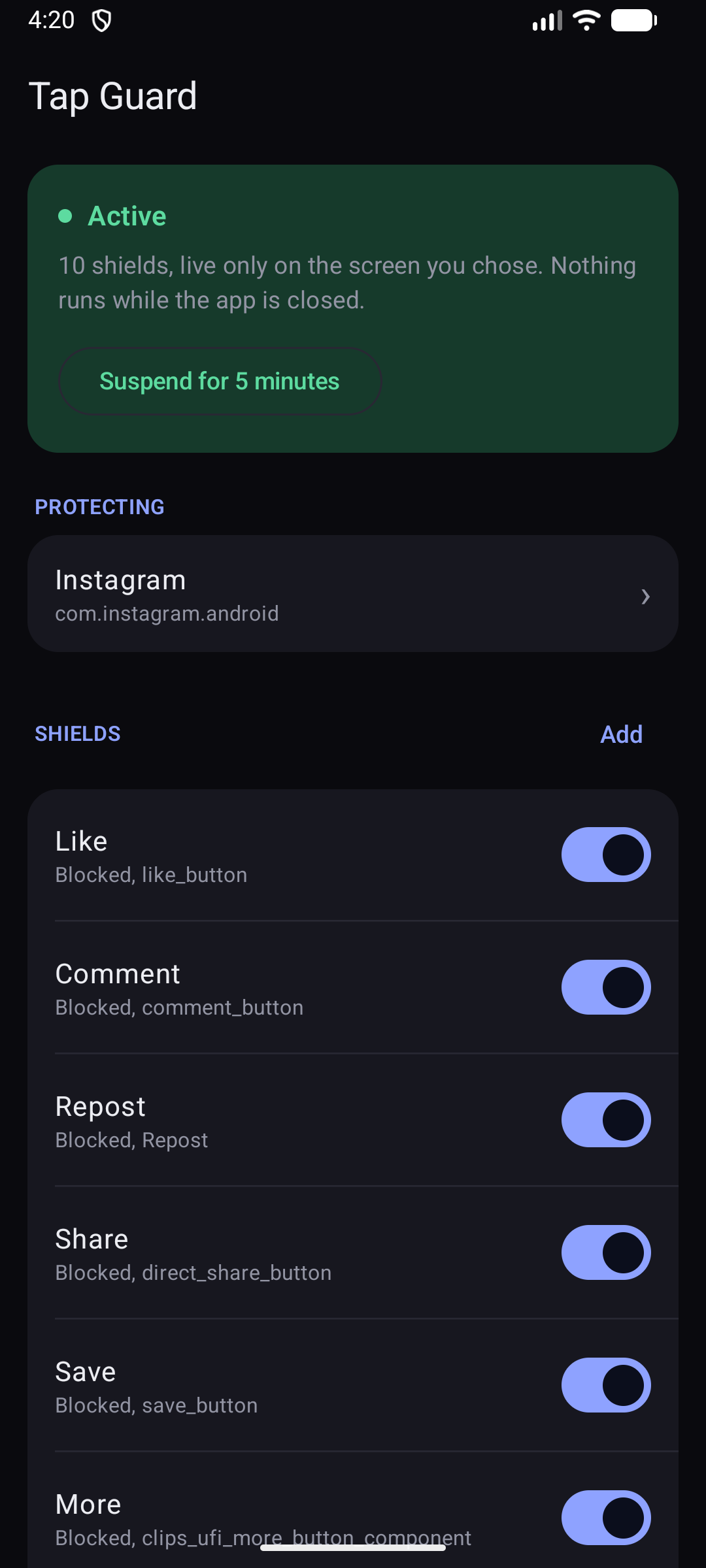
Your thumb sits about a centimetre from Like, Follow and Share the whole time you are scrolling. Tap Guard puts an invisible shield over the buttons you keep catching, so a slip does nothing at all.
One slip, and a stranger gets a notification
You did not mean to follow them. You did not mean to like a video from four years ago. There is no undo that takes back the alert they already saw, and the only real fix is not tapping it in the first place.
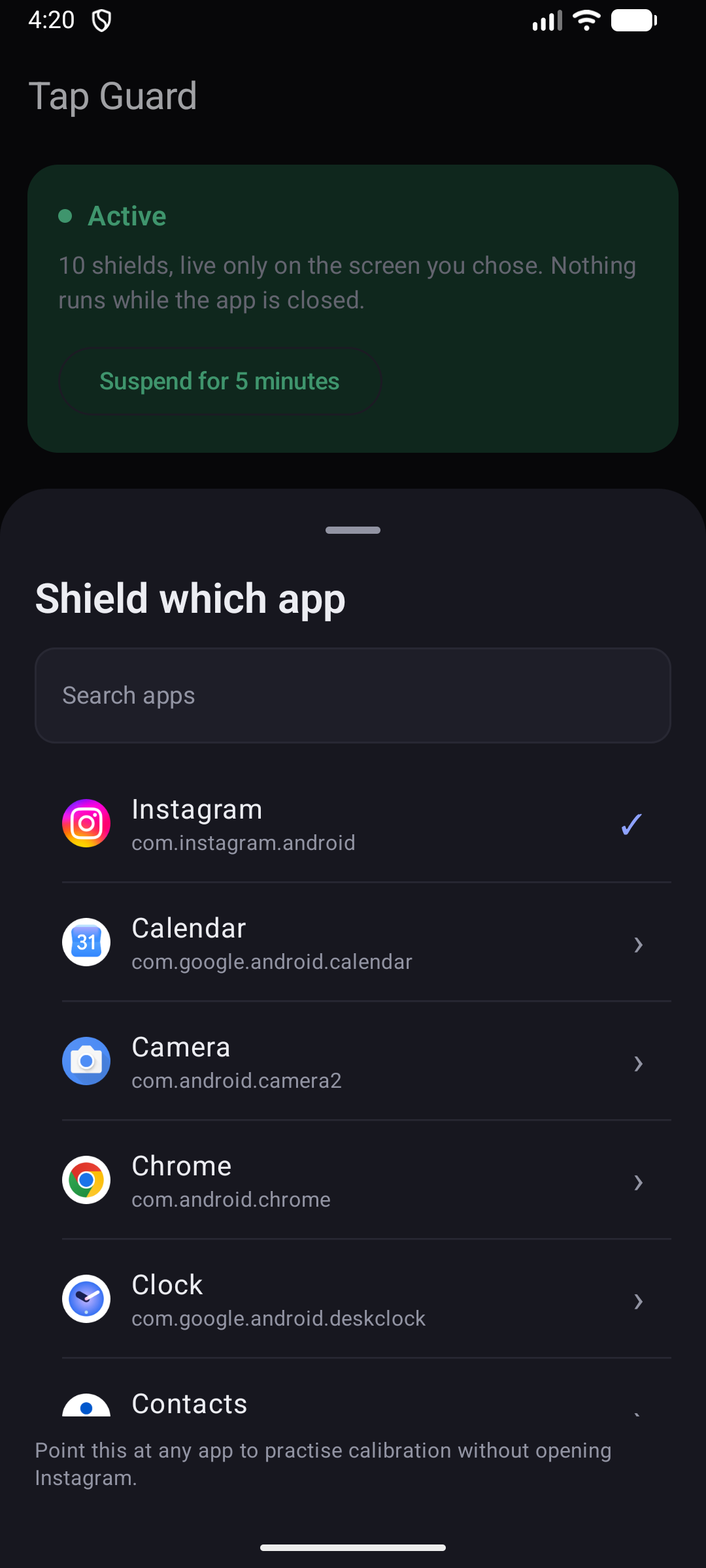
Choose what to protect
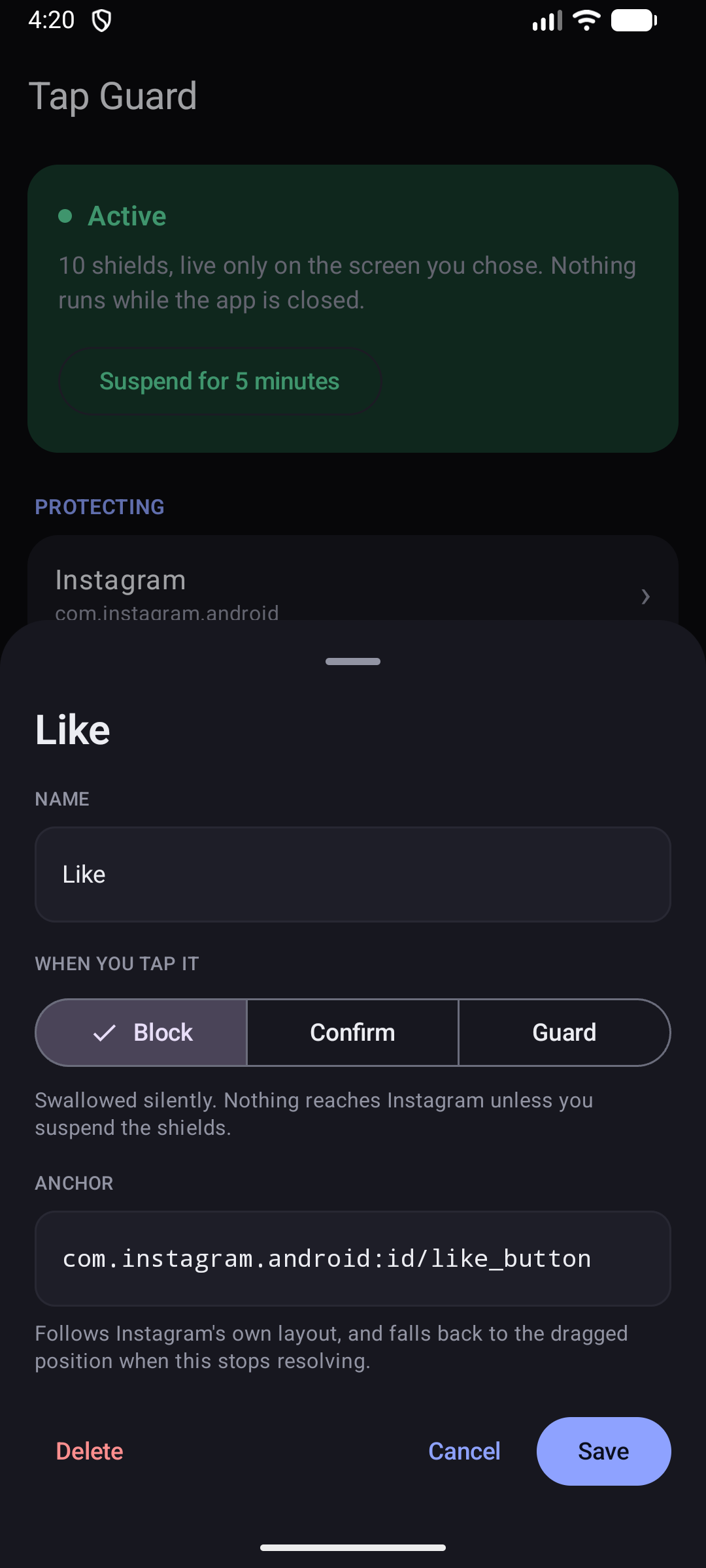
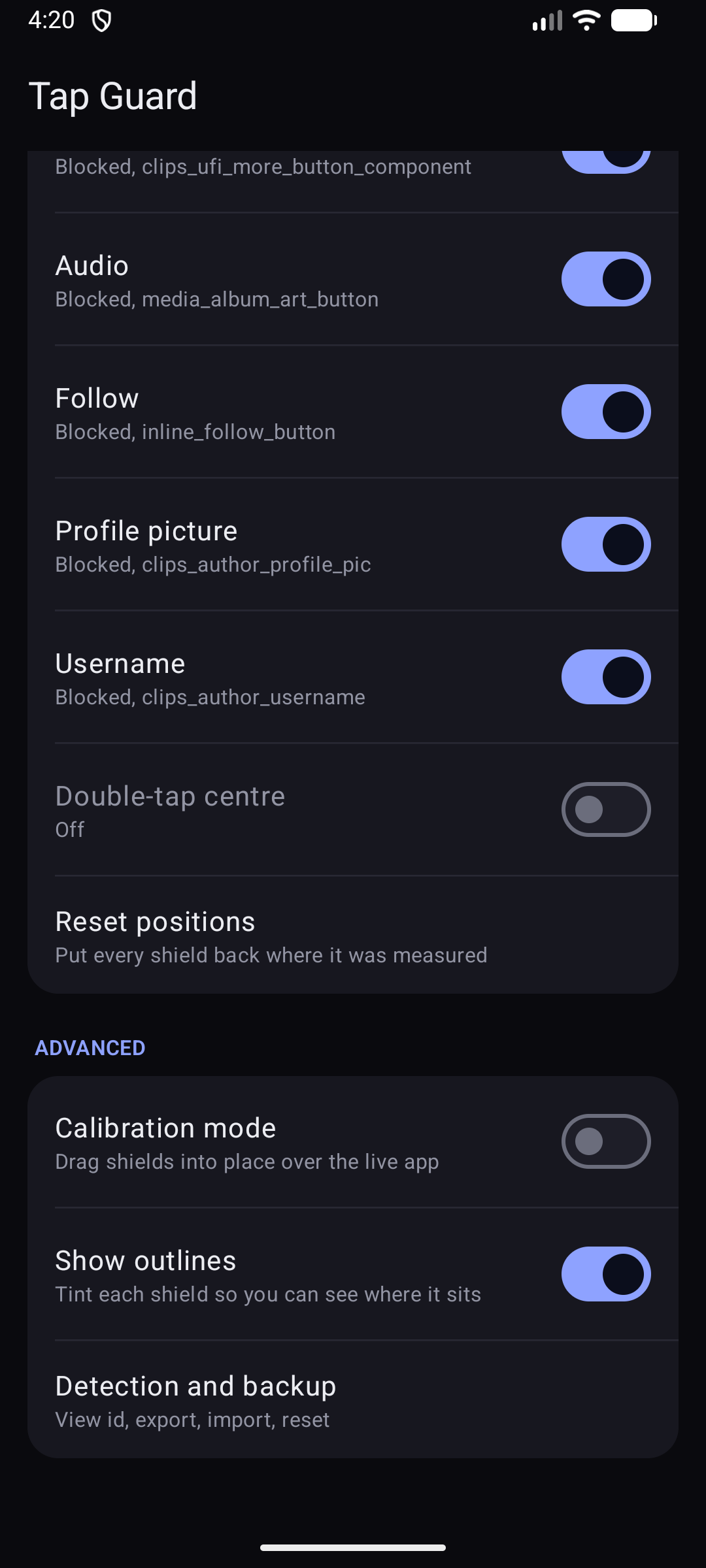
Pick the buttons you keep hitting by mistake. Everything you did not pick carries on working exactly as before, scrolling included.
It stays on target
The shield follows the button around the screen, so it keeps working when the layout shifts from one video to the next.
Pause it in a tap
When you do want to like something, swipe down from the top and pause every shield for five minutes. It switches itself back on.
What it looks like
Real screenshots from the app.
It cannot leak what it cannot send
Tap Guard needs to see your screen to know where the buttons are. That is a lot to ask, so here is exactly what happens to what it sees.
It cannot go online
The app has no internet access whatsoever. Not switched off, not unused. Android will not let it connect, so nothing can be sent anywhere even by mistake.
It collects nothing
No account, no sign in, no tracking, no ads. We never find out that you installed it, never mind what you do with it.
It looks, it does not keep
It checks where the buttons are while you are in the app you chose, and forgets immediately. Nothing is saved, photographed or copied.
It sits still the rest of the time
Close the app you are shielding and Tap Guard stops completely. Nothing in the background, nothing draining your battery.
Not only for slippery thumbs
If you have a tremor, or limited movement in your hands, or you are simply using a big phone one handed on a bus, this is the same problem arriving by a different route. Tap Guard was built for accidental taps, whatever causes them.